Apps
Apps that make you a better player
Practice and theory tools that show you what's happening on the neck — so you understand the sound, not just memorize shapes.
Coming soonGuitar theoryWindows
MUSIC MODALITY
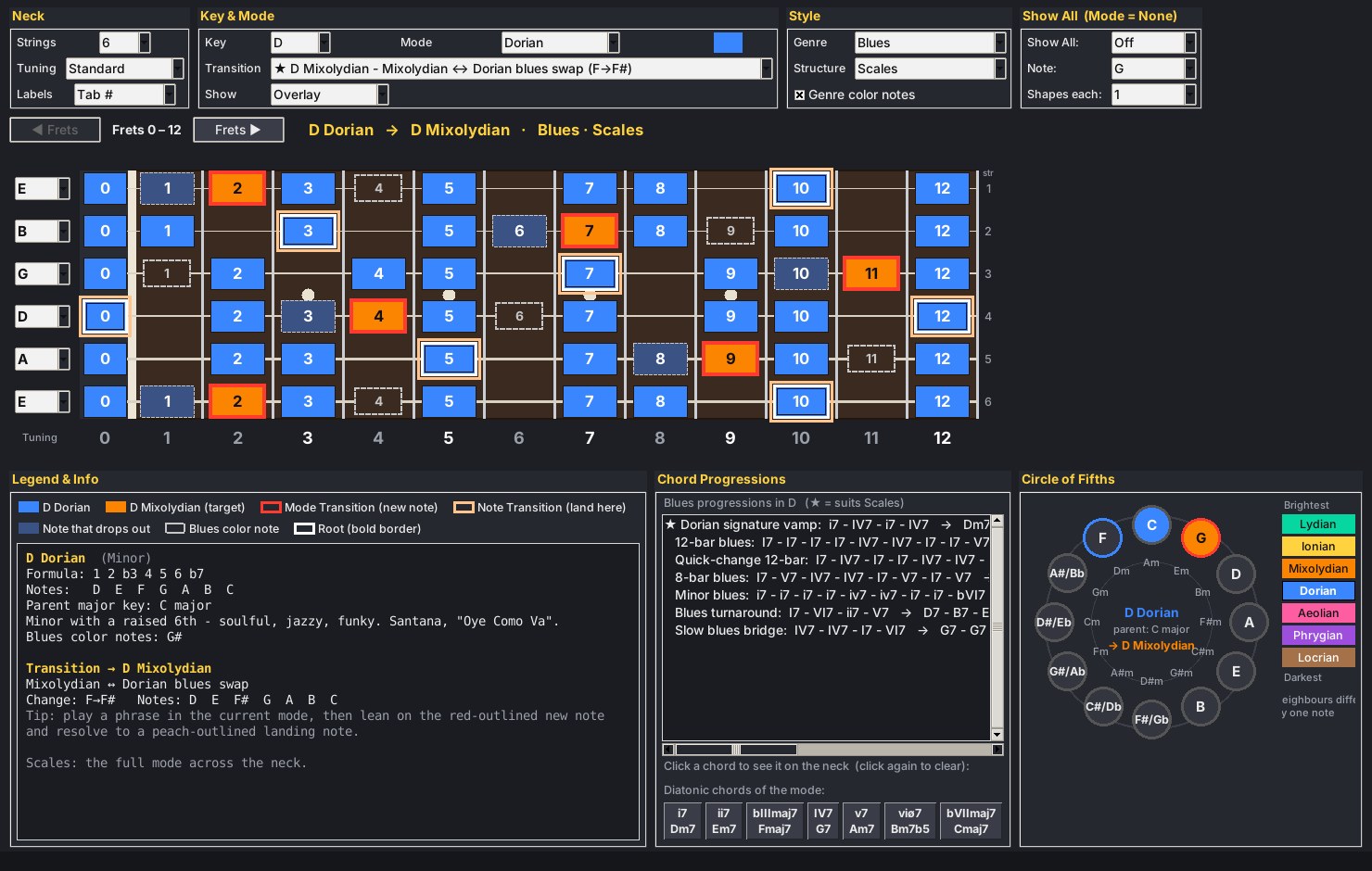
Modes finally make sense when you can see them. Pick a key and a mode and the whole neck lights up. Pick a transition and it shows you which notes change, and where to land.
See the screens ↓- All 7 modes in every key across the full fretboard
- Mode transitions mapped on the circle of fifths
- Genre-aware chord progressions — rock, blues, country, metal and more
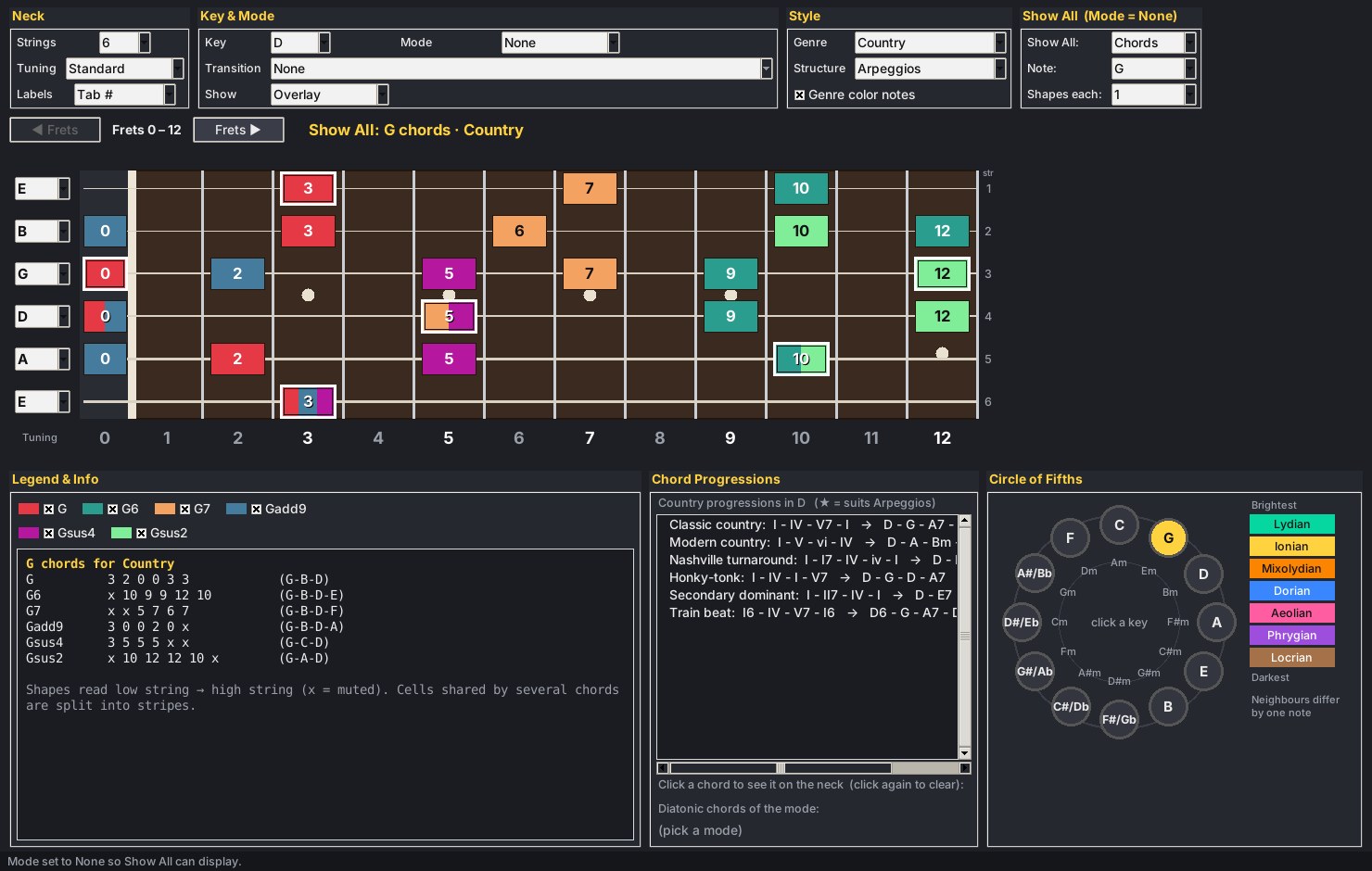
- Show-All view for every chord shape of a note
- Tab numbers, custom tunings, 6+ strings · low one-time price
A look inside
The whole toolkit on one screen
Neck, theory notes, chord progressions and the circle of fifths stay in view together, so you can see how they connect.